A bitcoin node is a computer running bitcoin software that keeps a copy of the blockchain and checks every new block and transaction against bitcoin's rules, rejecting anything that breaks them. Running your own node means you verify your bitcoin yourself instead of trusting a company's server to tell you what is true.
There is no central bitcoin computer. The network is simply all of these nodes talking to each other. This guide covers what a node actually does, how it differs from a miner, the different kinds of nodes, and the general steps people follow to run a bitcoin node at home.
What a bitcoin node does
A full node does three jobs, all the time:
- Validate. It checks every transaction and block it receives. Are the signatures valid? Is anyone spending coins that do not exist or were already spent? Does the block pay out more new bitcoin than allowed? Does it carry enough proof of work? If any answer is wrong, the node drops it.
- Store. It keeps its own record of the blockchain, or at least of the current set of unspent coins, built entirely from blocks it checked itself.
- Relay. It passes valid transactions and blocks on to the other nodes it is connected to, usually over port 8333, so news spreads across the network in seconds.
The important part is that nobody can overrule your node. If a miner, an exchange or even a popular developer produces something that breaks the rules your software enforces, your node simply refuses it.
Full nodes, pruned nodes and light wallets
You will hear a few different terms:
- Full archival node. Downloads and keeps every block since January 2009. The full chain is well over 750 GB and grows every year.
- Pruned node. Downloads and checks every block just like an archival node, then deletes old block data it no longer needs, keeping only recent blocks and the current state. It verifies exactly as much as a full node while needing a few gigabytes of disk instead of hundreds. Running a pruned bitcoin node is a popular choice on laptops.
- Light wallet. Most phone wallets do not check the rules themselves. They ask someone else's node about your balance. That is convenient, but it means trusting that server and telling it which addresses are yours.
- Lightning node. A separate piece of software that runs alongside a bitcoin node to handle Lightning payments. It usually relies on a bitcoin node underneath.
Node vs miner
People often mix these up, so here is the short version. Miners spend electricity to propose new blocks, competing to find a valid hash. Nodes decide whether those blocks are acceptable. A miner who breaks the rules wastes all the energy behind that block, because nodes reject it on sight. Our guide on how proof of work works explains the mining side.
Mining needs specialized machines and cheap power. A node needs neither. That is why many more people run nodes than mine, and why the two roles balance each other.
Why people run their own node
- Verify your own money. When your wallet connects to your own node, the balance you see was checked by your own computer, not reported by a third party.
- Privacy. A light wallet has to ask an outside server about your addresses. Your own node already has the data, so nobody else learns which coins are yours.
- A vote on the rules. Every node independently enforces the rules it runs. Changes to bitcoin only stick if the people running nodes choose to adopt them.
- Learning. Watching blocks arrive and reading the logs teaches more about bitcoin than most books.
The community sums all of this up in three words, don't trust, verify. Our guide to what don't trust, verify means tells the story behind the motto.
Is running a bitcoin node profitable? Not in money. Nodes earn no block rewards or fees. People run them for the reasons above, which is exactly why "node runner" became a badge of honor.
What you need, in general terms
You do not need a data center. A typical home setup looks like this:
- A computer that can stay on. A spare desktop or laptop, a small mini PC or a single-board computer all work. Some people buy a ready-made node box with the software preinstalled.
- Storage. For a full node, a solid state drive of 1 TB or more leaves room for growth. A spinning hard drive works but makes the first sync much slower. With pruning, a small amount of free space is enough.
- Memory. A few gigabytes of RAM is enough for the standard software, and more speeds up the first sync.
- Internet. An always-on connection without a tight data cap. A node can upload a couple of hundred gigabytes a month to other peers, and you can limit that in the settings.
Bitcoin Core, the most widely used node software, runs on Windows, Mac and Linux. Other free node packages and operating systems bundle it with a friendly dashboard.
How to run a bitcoin node, step by step
The details depend on the software you choose, but the general path looks like this:
- Pick your hardware. Decide between a computer you already own, a small dedicated machine or a ready-made node device.
- Download the software from its official source. Then check the download against the published checksums and signatures, so you know it has not been tampered with.
- Install it and start the initial sync. Your node will download and check every block from the genesis block onward. Depending on your hardware and connection, this takes from several hours to a few days.
- Let it finish. You can use the computer during the sync, but leave the node running until it catches up to the latest block.
- Allow incoming connections, if you like. Opening port 8333 on your router lets other nodes connect to you, which helps the network. It is optional.
- Point your wallet at your node. Many wallets let you enter your own node's address instead of using the default server. This is the step that turns verification into a real benefit.
- Keep it updated. Install new releases from the official source and keep the machine patched like any other always-on device.
If you also hold your own keys, a node completes the picture. Our guide to not your keys, not your coins covers that side.
Node runner culture
Running bitcoin has been a point of pride from the very start. Hal Finney announced on January 10, 2009 that he was running bitcoin, one of the first people other than Satoshi to do so, and his story is in our guide to Running bitcoin and Hal Finney. Today node runners trade photos of their setups the way car people show off engines, and the bitcoin node meme is usually a small box blinking on a bookshelf.
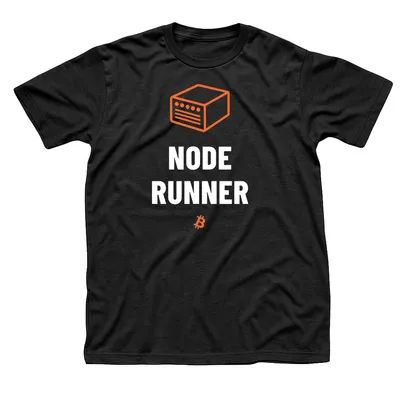
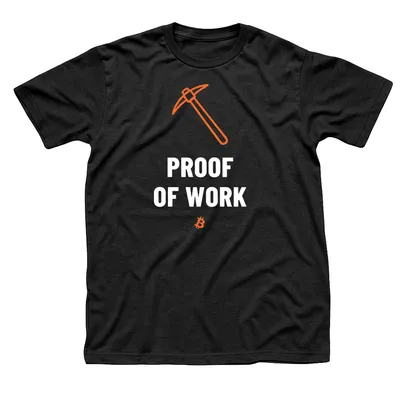
That little box is the star of our Node Runner tee: an orange line drawing of a server with its status lights and vent slots, above the title in bold white letters. For the motto behind it, the Don't Trust, Verify tee sets the phrase around a tilted orange magnifying glass. And for the miners your node keeps honest, there is Proof of Work with its orange pickaxe. Each one is a black unisex tee printed when you order, and our bitcoin gifts page has ideas for the node runner in your life.
Sources: bitcoin.org on running a full node and the bitcoin white paper.